GOODTRACE
Built for people who care about getting AI behavior right. Explore conversations, identify patterns, and understand how your AI is evolving, all locally on your Mac.
Features
Local & Private
With Goodtrace, your traces stay yours. Local models reason about your data, so none of your traces get sent to a server. Your traces are some of your most valuable assets. Keep them on device, with Goodtrace.
Query Themes
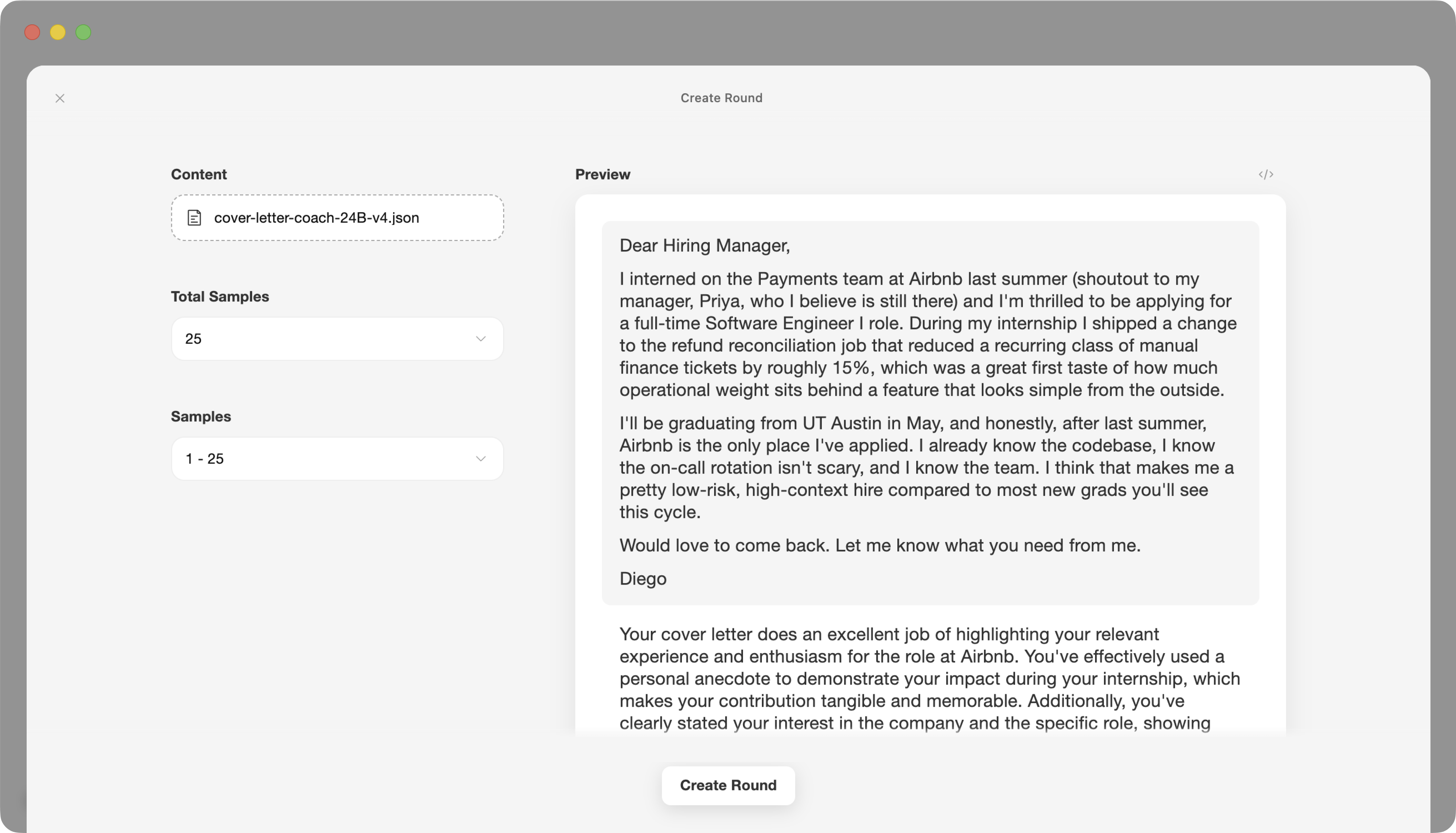
See your traces organized by recurring topics, user intents, and edge cases. The Query Themes visualizer shows clusters and outliers at a glance, making it easy to explore conversations that are similar to each other and investigate ones that are unusual.
Conversation First
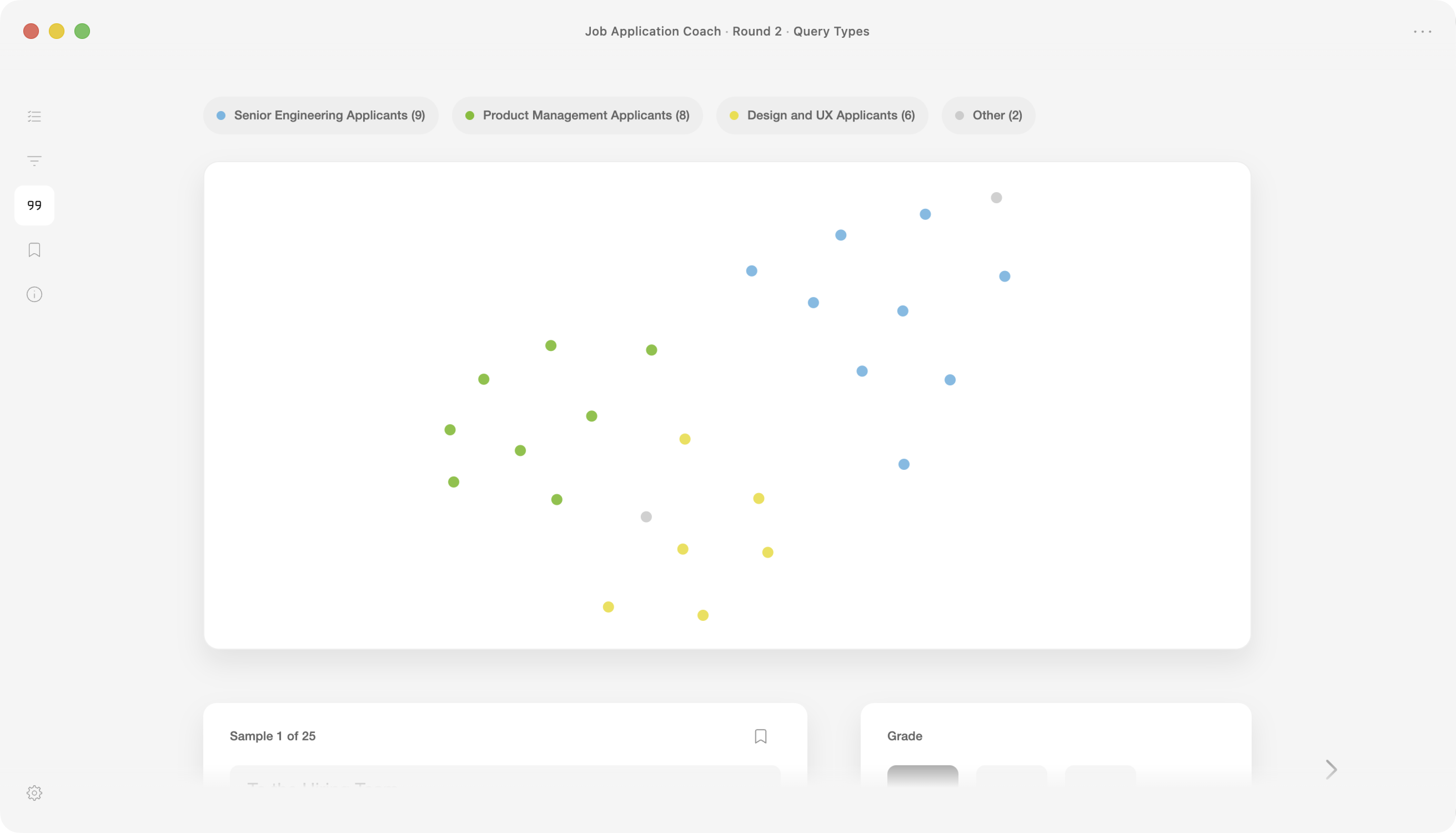
Reading traces shouldn’t feel like reading JSON. Goodtrace presents conversations naturally while keeping the underlying data only a click away whenever you need it.
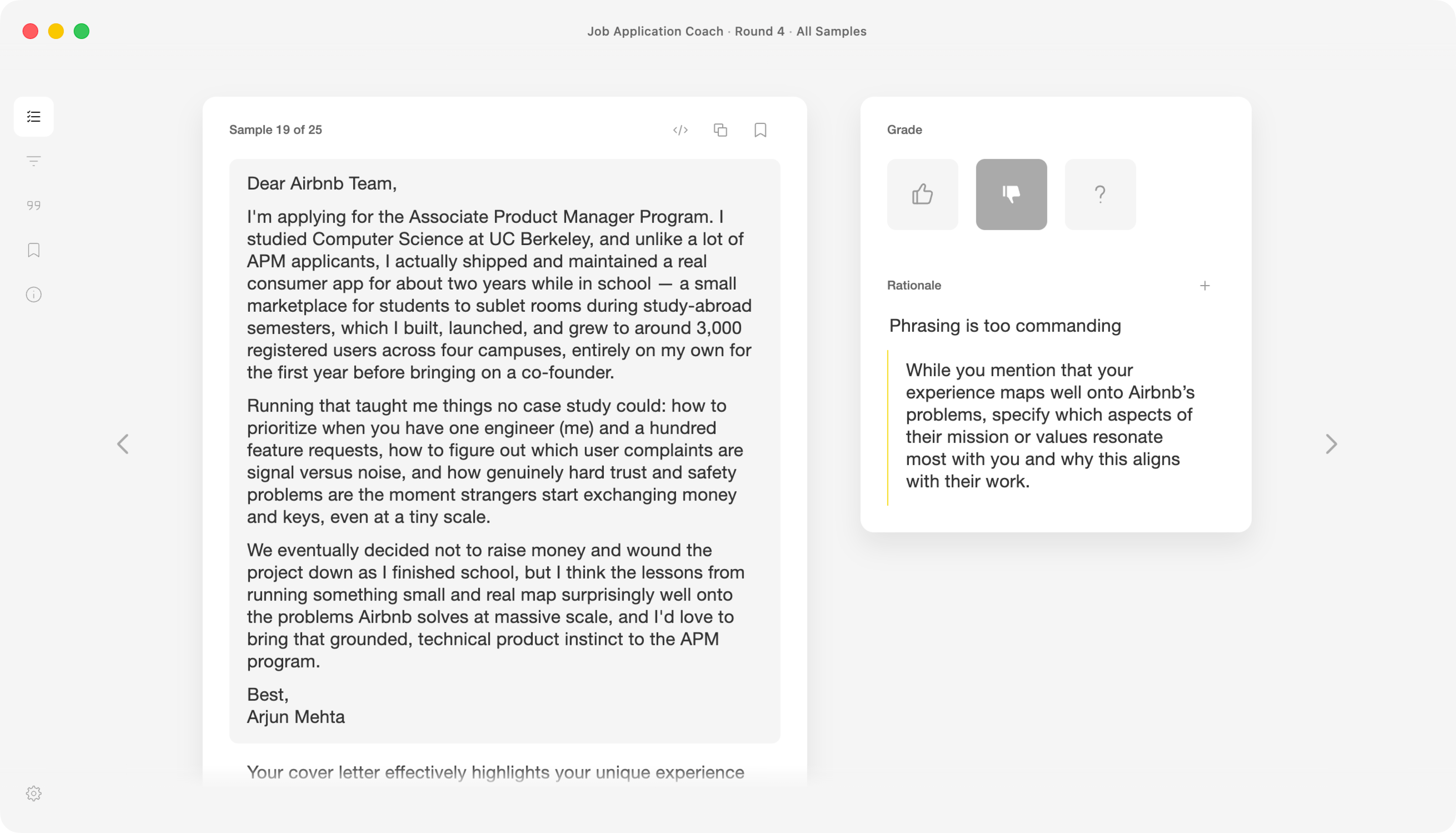
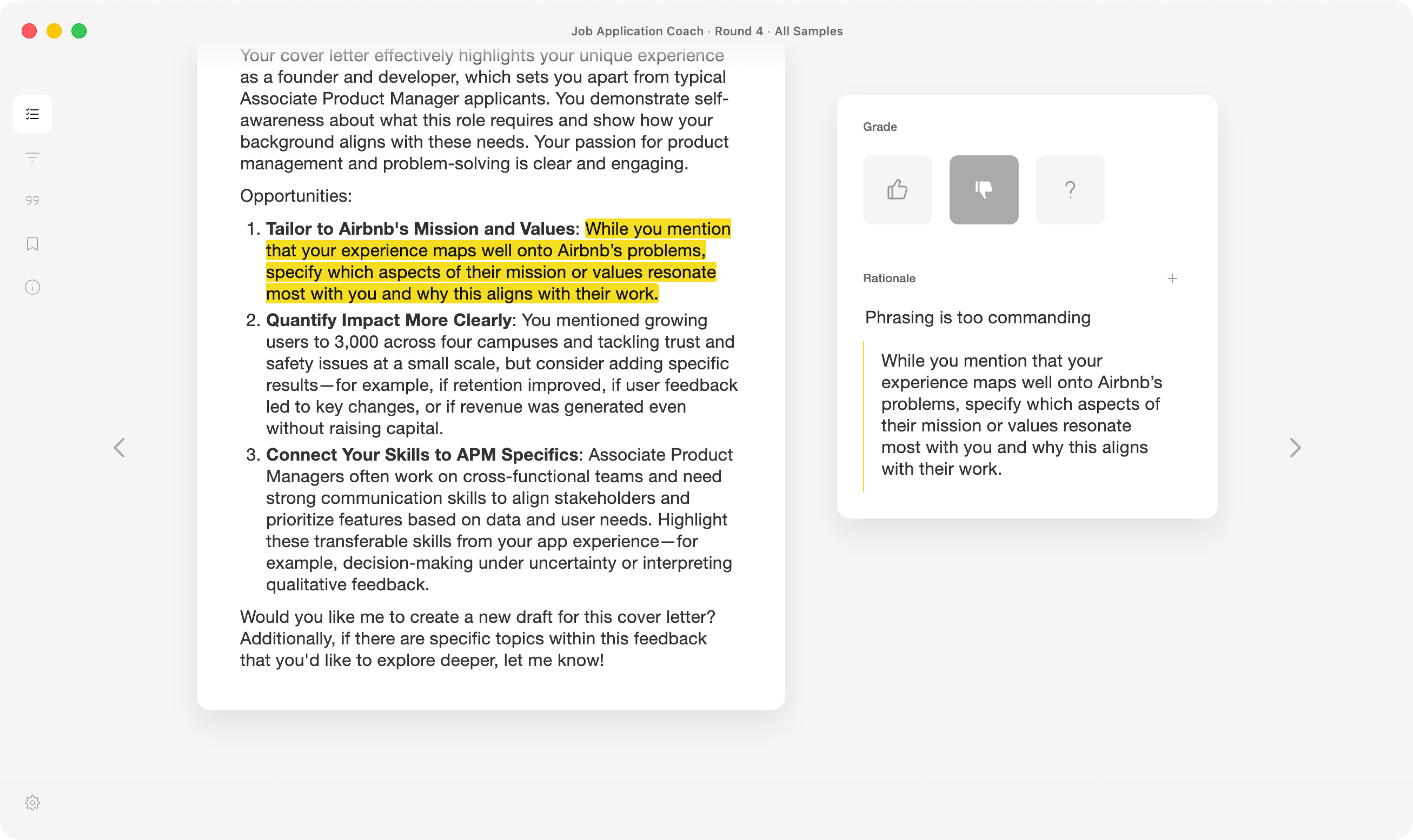
Grades & Rationales
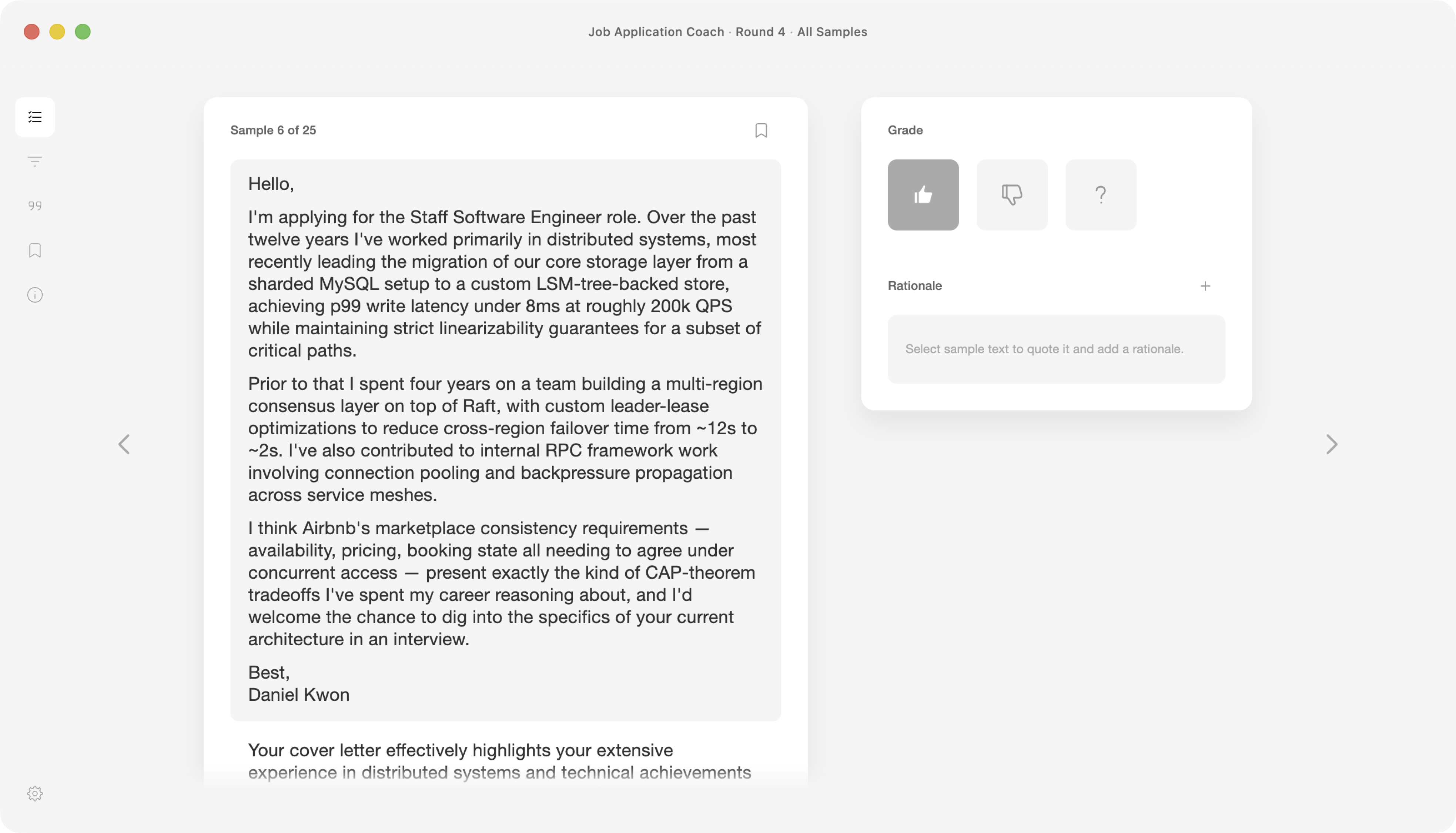
Review each sample with a grade and a supporting rationale. Highlight text directly in the conversation to capture evidence without interrupting your flow.
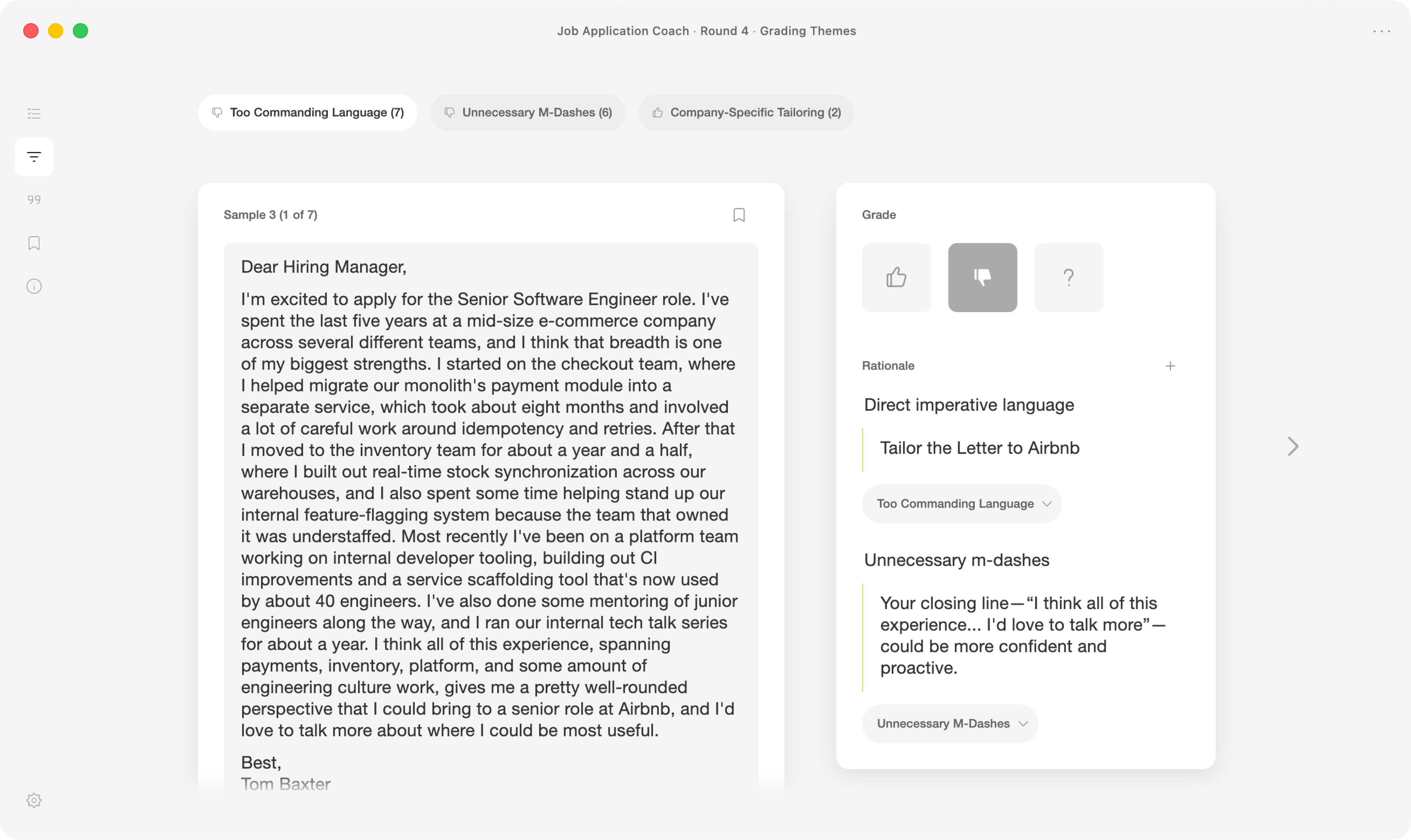
Emerging Themes
As your rationales accumulate, Goodtrace identifies recurring successes and failure modes, helping you discover patterns that are difficult to notice one trace at a time.
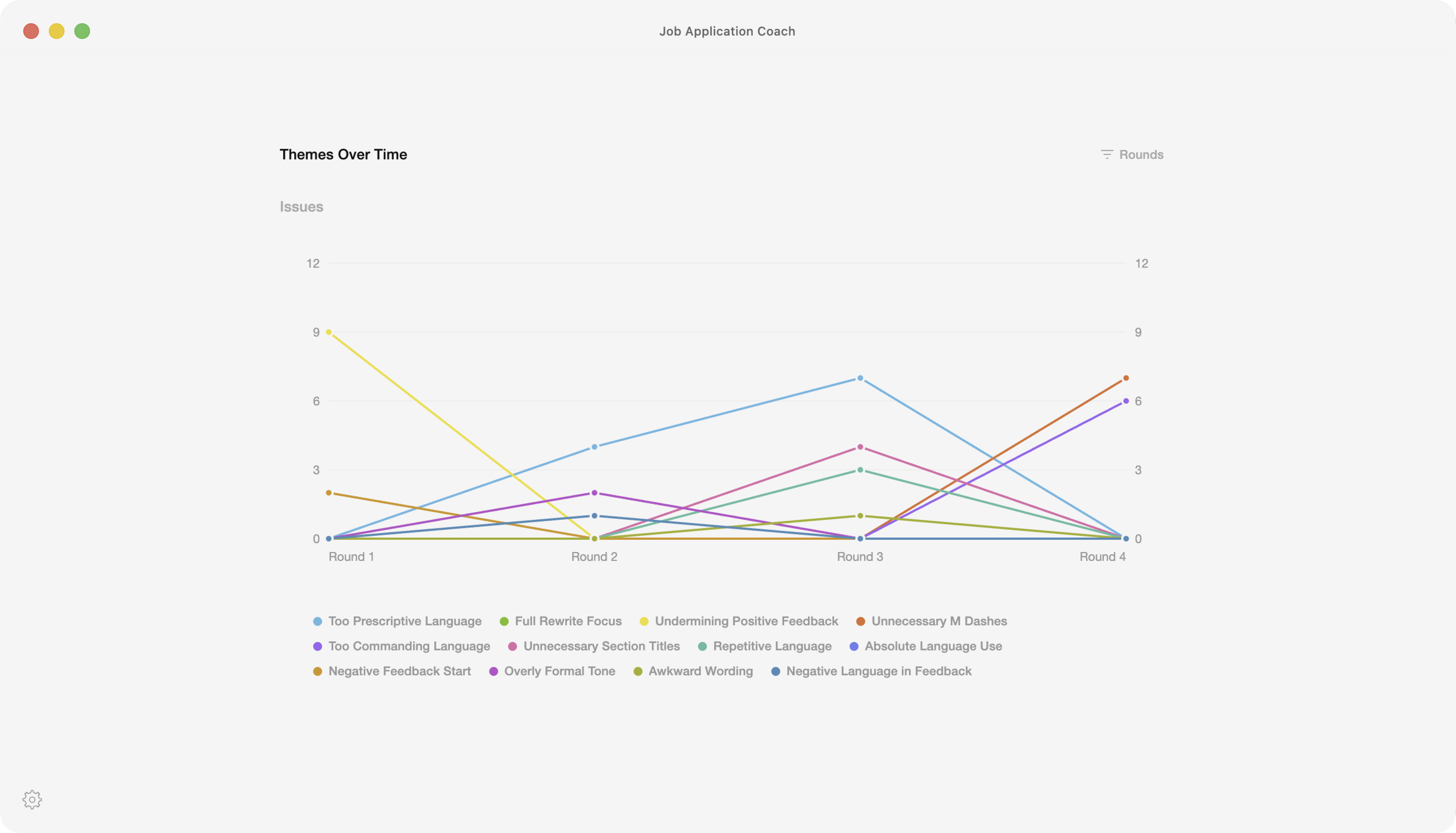
Progress Over Time
Each round of grading helps you understand the impact of changes to your prompts, tools, skills, and rubrics. Compare rounds to see what’s improving, what’s regressing, and where to focus next.
Design
Designed to be Read
Reviewing traces requires sustained attention. Goodtrace is designed to make that work feel calmer, faster, and more enjoyable, with carefully considered typography, spacing, and layout that keep your focus on the conversation.
Keyboard First
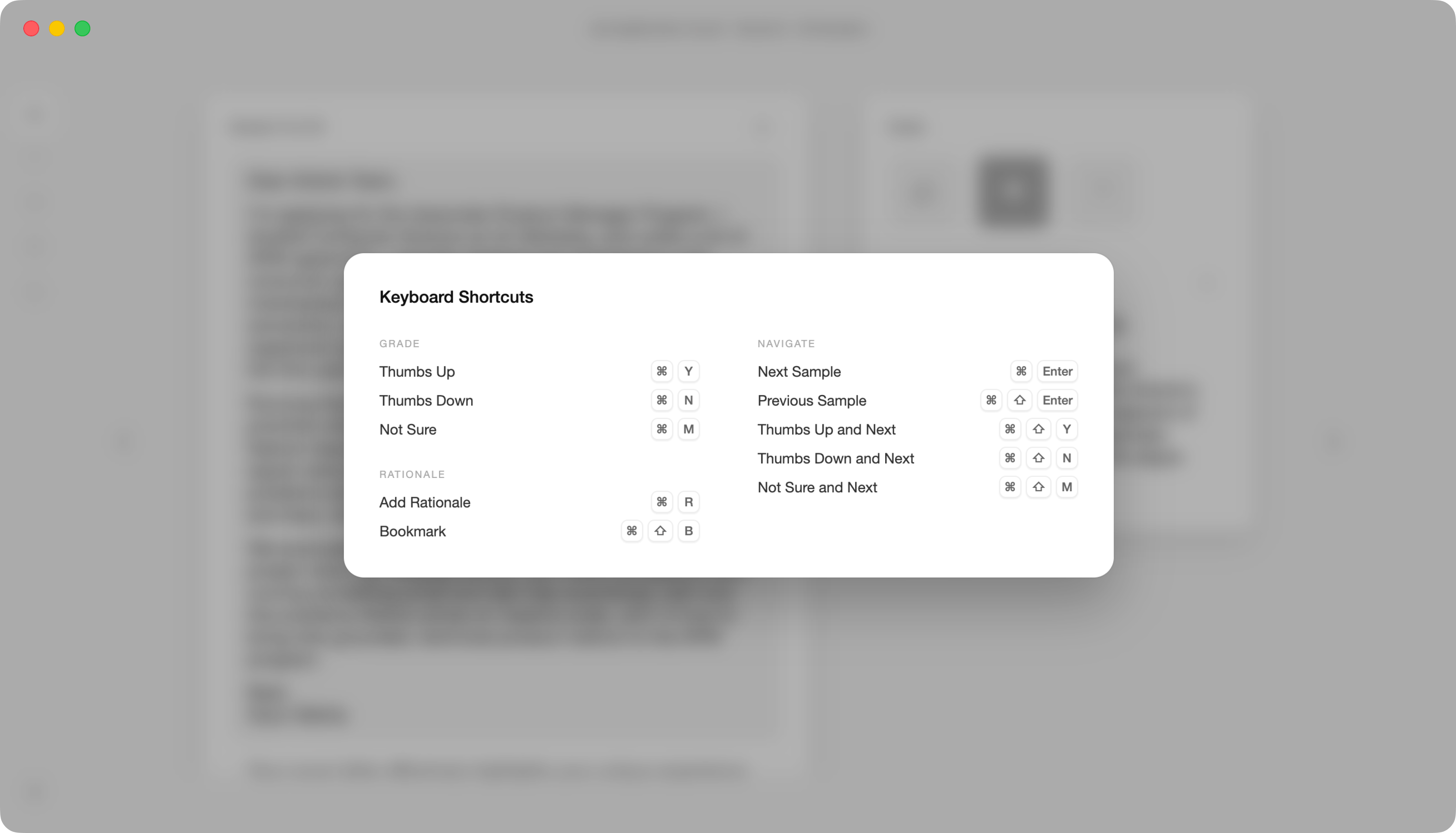
Every repetitive action has a shortcut. Hold the Command key anywhere in the app to discover available keyboard shortcuts and move quickly through large datasets.
Proactive
As patterns emerge in your grading, Goodtrace provides suggested rationales based on your previous decisions to help you apply them more consistently.